
Guest marketing
Restaurant email marketing that brings guests back.
Create emails that look like your restaurant, invite the right guests, and automate birthdays, follow-ups and return visits. ResRes connects marketing with your reservations, so you can see the bookings and attended guests attributed to your emails.
Included with paid Reservations plans: 500 marketable contacts and 2,000 sends per location each month. The trial has its own smaller one-off allowance — see pricing for details.
- Branded visual email editor
- Audiences from visit history
- Autopilot for repeat moments
- Bookings attributed to emails
Email editor
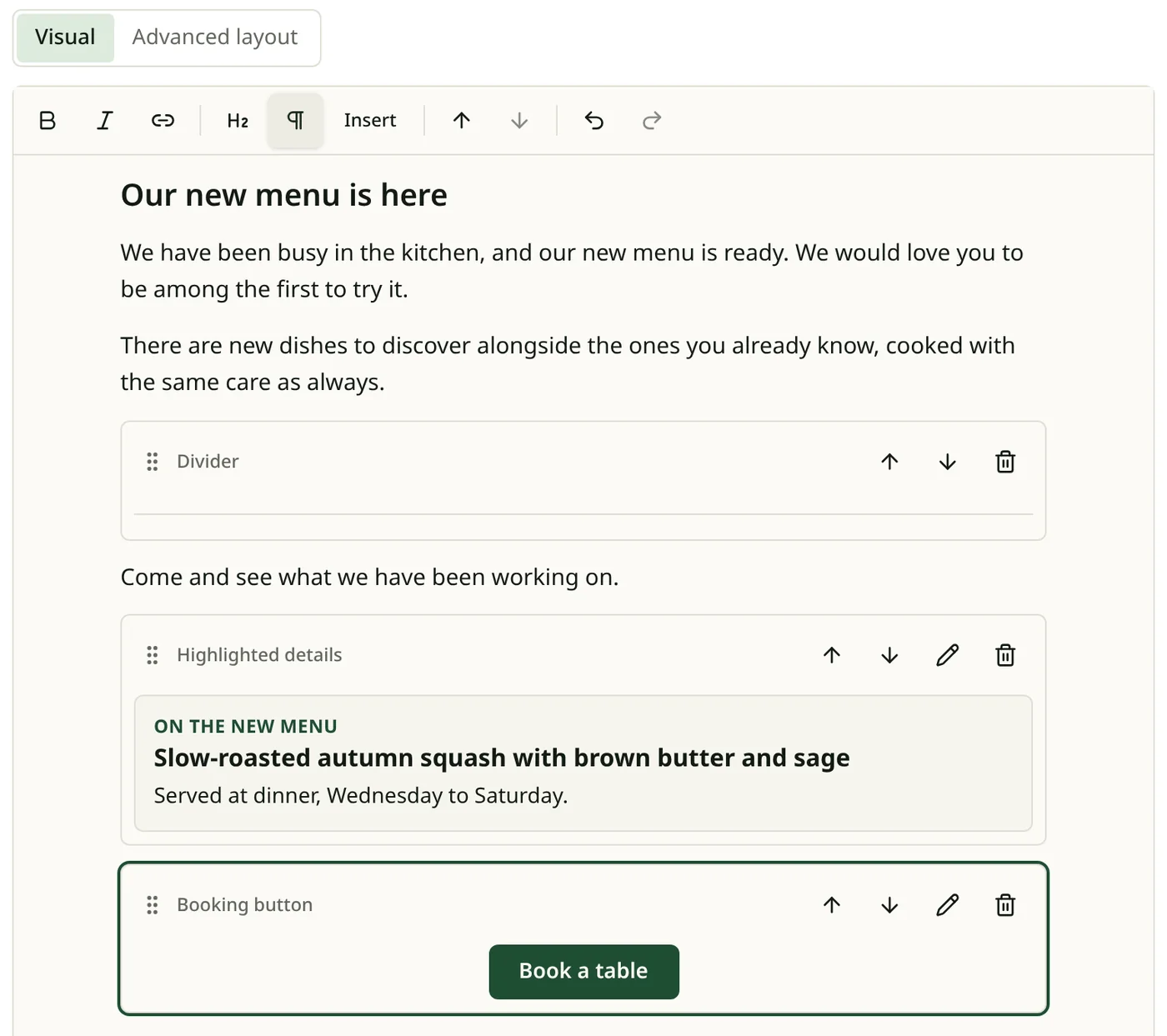
Create an email worth opening
A visual editor with starter templates, so you are not starting from a blank page.
- Use your restaurant’s logo and colours.
- Visual editing, with a block layout view for finer control.
- An optional greeting with the guest’s first name where you have it.
- Send yourself a test copy before guests see it.
Campaigns
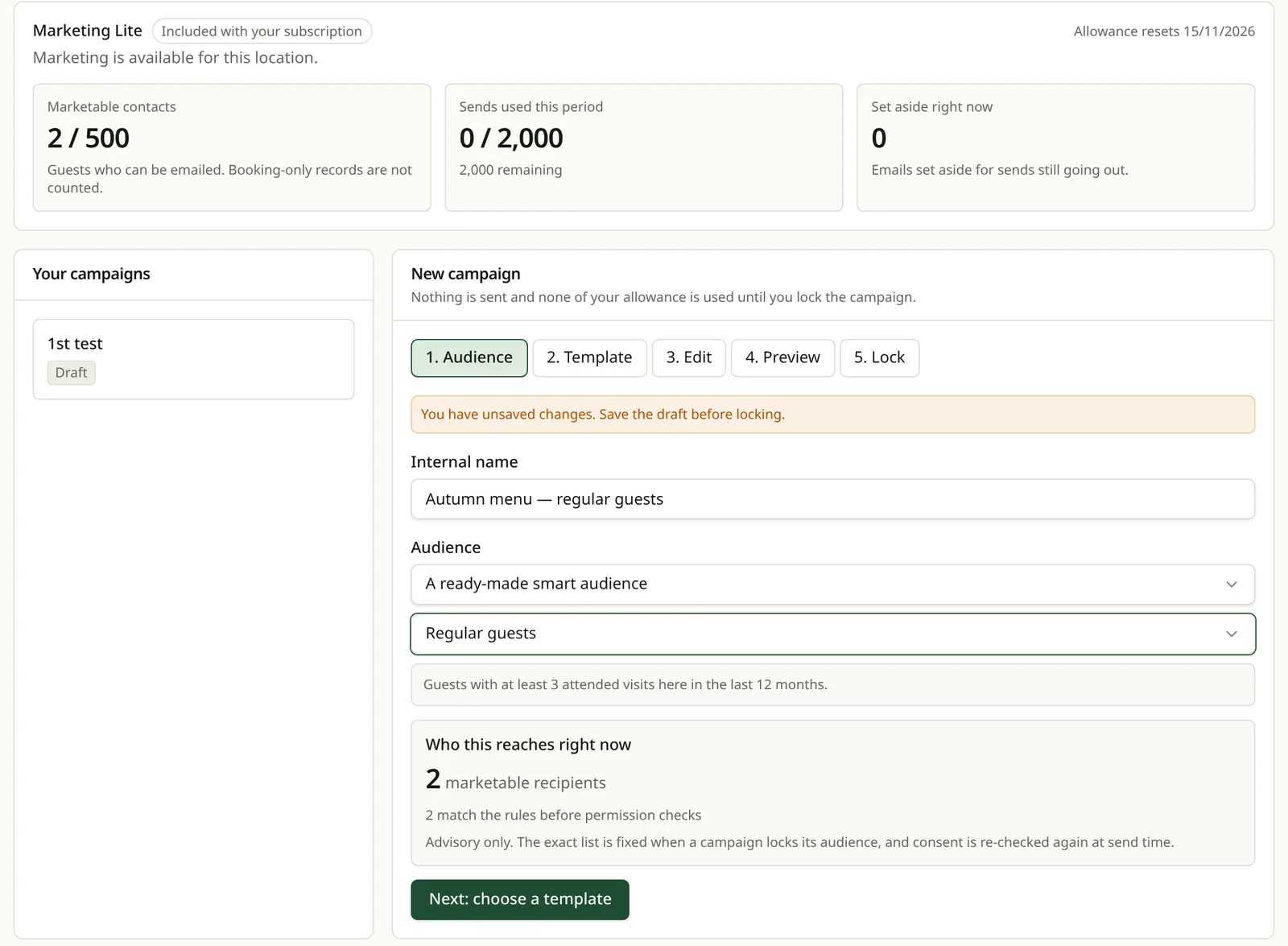
Send a relevant invitation
Choose who receives a campaign using what you already know from their visits.
- Filter by visits, last visit, party size, birthday, upcoming bookings and past email activity.
- Guests without marketing permission are left out automatically.
- Send now, or schedule it for later.
Autopilot
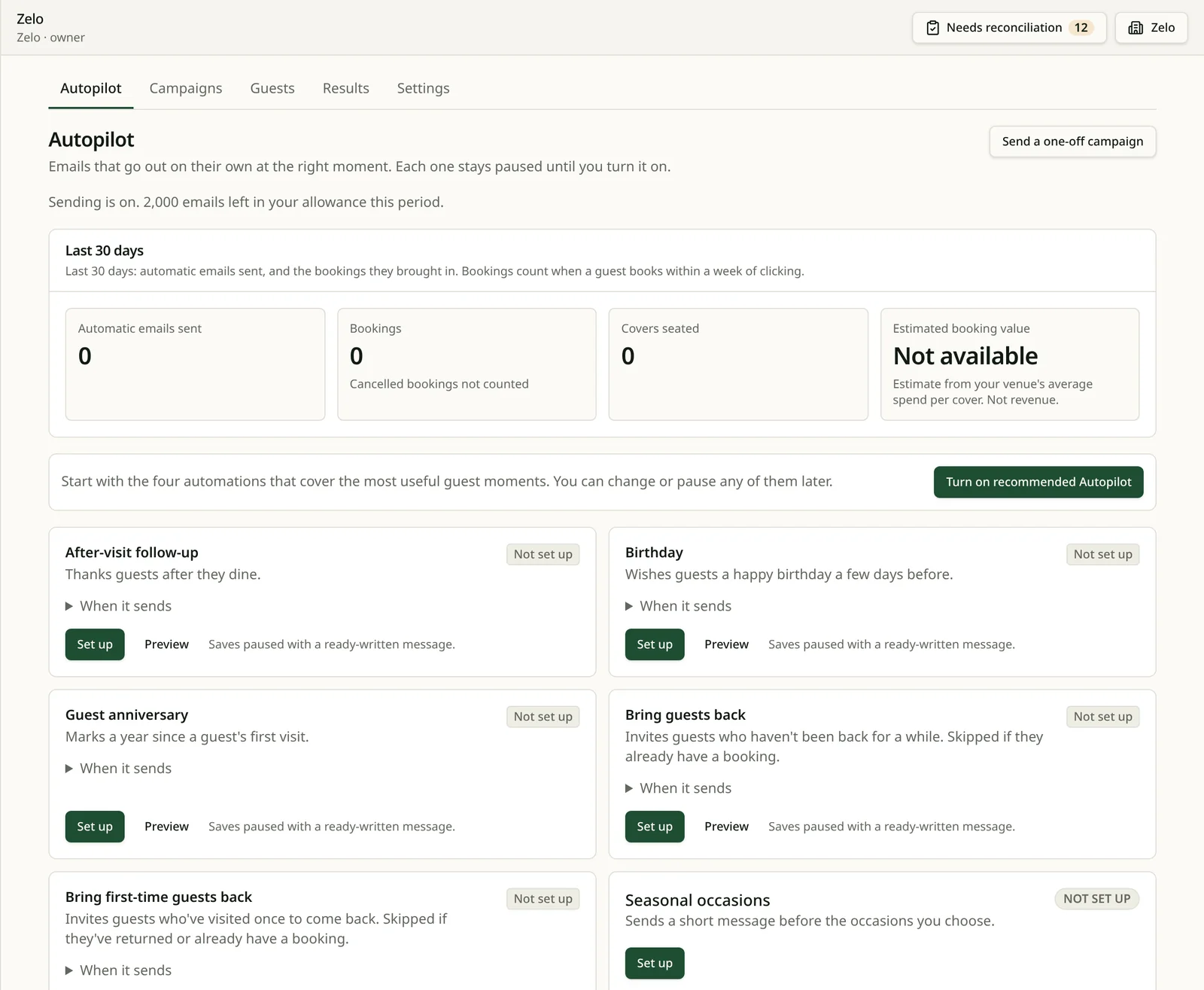
Let Autopilot handle repeat moments
Automatic emails for moments that come round again. Each new automation starts with starter copy you can edit, sends only after you turn it on, and can be paused at any time.
- Thank you after a visit, welcome, second-visit invitation and “it has been a while”.
- Birthday, first-visit anniversary and a few seasonal occasions.
- Turn on the recommended set in one step, or set each up yourself.
Your guests
Know who you’re inviting
Guest records come from your own bookings and visits. Marketing goes only to guests who have agreed to hear from you.
- Visit history, last visit, party size and occasions on each guest.
- Contacts show whether each guest can receive marketing.
- Unsubscribes, bounces and complaints stop future marketing.
- Your restaurant’s guest list is not shared with other restaurants.
Fola Adeyemi
7 visits · last 14 Jan
- Occasion
- Birthday
- Dietary
- Nut allergy
- Access
- Step-free table
- Preference
- Corner banquette
Allergy flagged to the pass with the table number when the party is seated.
Results
See what happens after the click
When a guest clicks a tracked link in an eligible marketing email and books within the attribution window, ResRes attributes that booking to the email.
- Attributed bookings and attended guests, with cancellations shown separately.
- Estimated booking value: covers × the average spend you enter — an estimate, not payments received.
- Built from the same reservations your team uses during service.
What’s included
Marketing Lite comes with paid Reservations plans
Included with paid Reservations plans: 500 marketable contacts and 2,000 sends per location each month. The trial has its own smaller one-off allowance — see pricing for details. Each location needs its sender set up before it can send.
Questions
- Can every guest receive marketing?
- No. Only guests who have agreed to receive marketing and have not unsubscribed. A booking or visit alone does not give permission.
- Can emails match my restaurant?
- Yes. Use your logo and colours in a visual editor with starter templates.
- Which automatic emails are available?
- Thank you after a visit, welcome, second-visit invitation, “it has been a while”, birthday, first-visit anniversary and some seasonal occasions. New ones send only after you turn them on.
- What is included?
- Paid Reservations plans include Marketing Lite: 500 marketable contacts and 2,000 sends per location each month. The trial has its own smaller one-off allowance, shown on the pricing page.
- How are results measured?
- Bookings made after a guest clicks a tracked link in an eligible email, within the attribution window, are attributed to that email. The value shown is an estimate: it shows what followed an email, not proof the email caused the visit.
Start bringing guests back.
Set up your restaurant, take bookings on your own page, and invite guests who have agreed to hear from you.
No card required · Professional plan for 30 days